Overriding Firmware for Specific Devices

The Vehicle Manufacturer Dashboard and its functionality are only accessible to Vehicle Manufacturers.
Certain devices may need a particular version of firmware that differs from the current target firmware. This can be handled by overriding the target firmware for specific devices.

You can choose a target firmware for all other devices here:
Getting to the Firmware Overrides Tab
Prerequisites:
You should be on the Vehicle Manufacturers Dashboard
Click the Firmware Overrides tab

If you are unable to view the overrides section (shown below):
Check you have used the filters at the top of the page.
For more support:
Vehicle Manufacturers Dashboard | Using-the-Filters
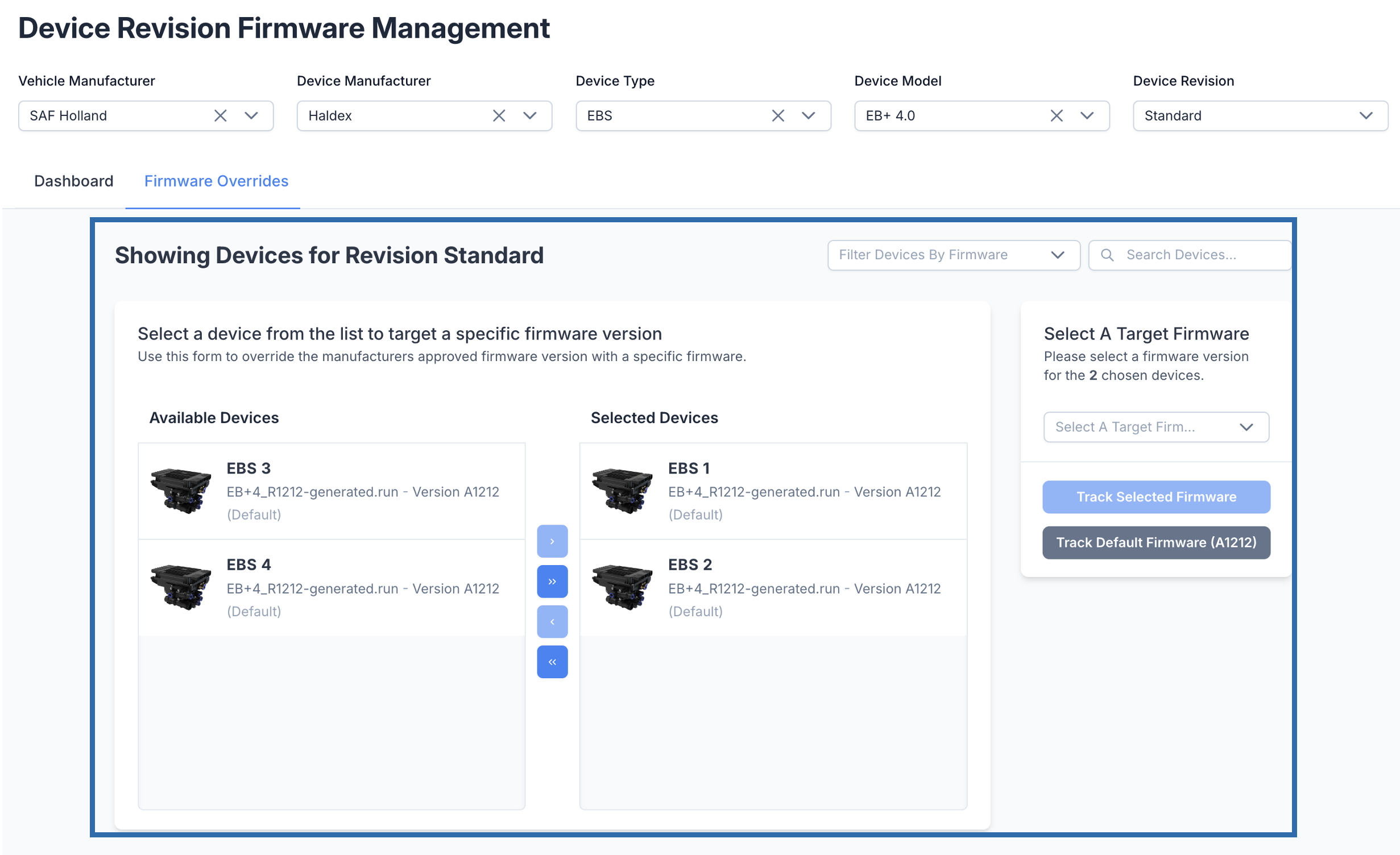
Overview
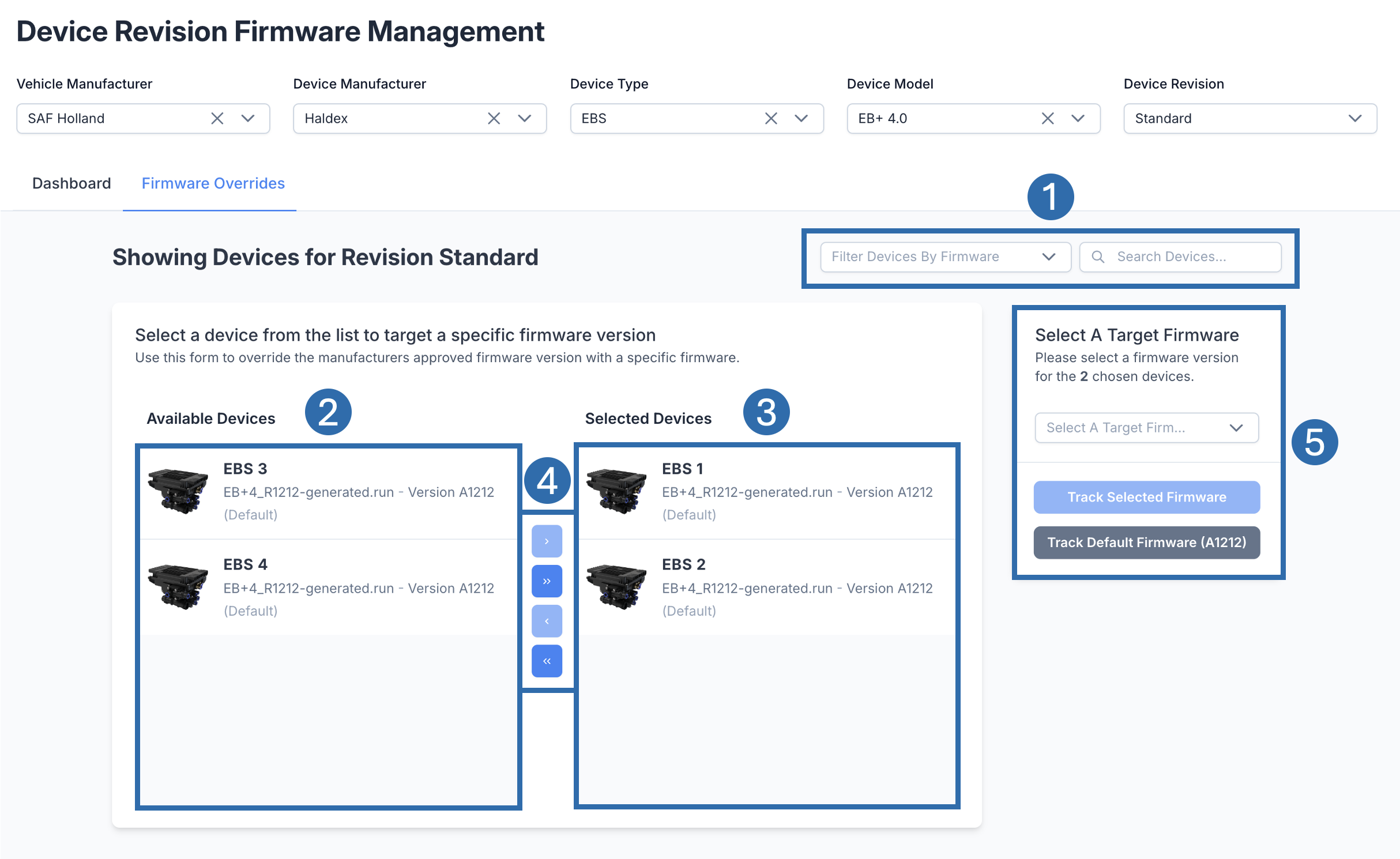 | |
 | Sub-Filters Filter the Available Devices by firmware or device name. |
 | Available Devices These are the devices which satisfy the filters and subfilters selected. |
 | Selected Devices Devices in this section have been selected from the list. |
 | Controls To move devices, use the controls to transfer devices from the Available Devices list to the Selected Devices list. You can move one individual device or all devices to the available list. Similarly, you can move one or all devices from the selected list back to the available list. |
 | Actions This section contains the actions you can perform against the selected devices. You can either choose a specific firmware to track the selected devices or track the selected devices by the target firmware. |
Overriding Firmware
Prerequisites:
You should be on the Vehicle Manufacturers Dashboard
You should be on the Firmware Overrides Tab
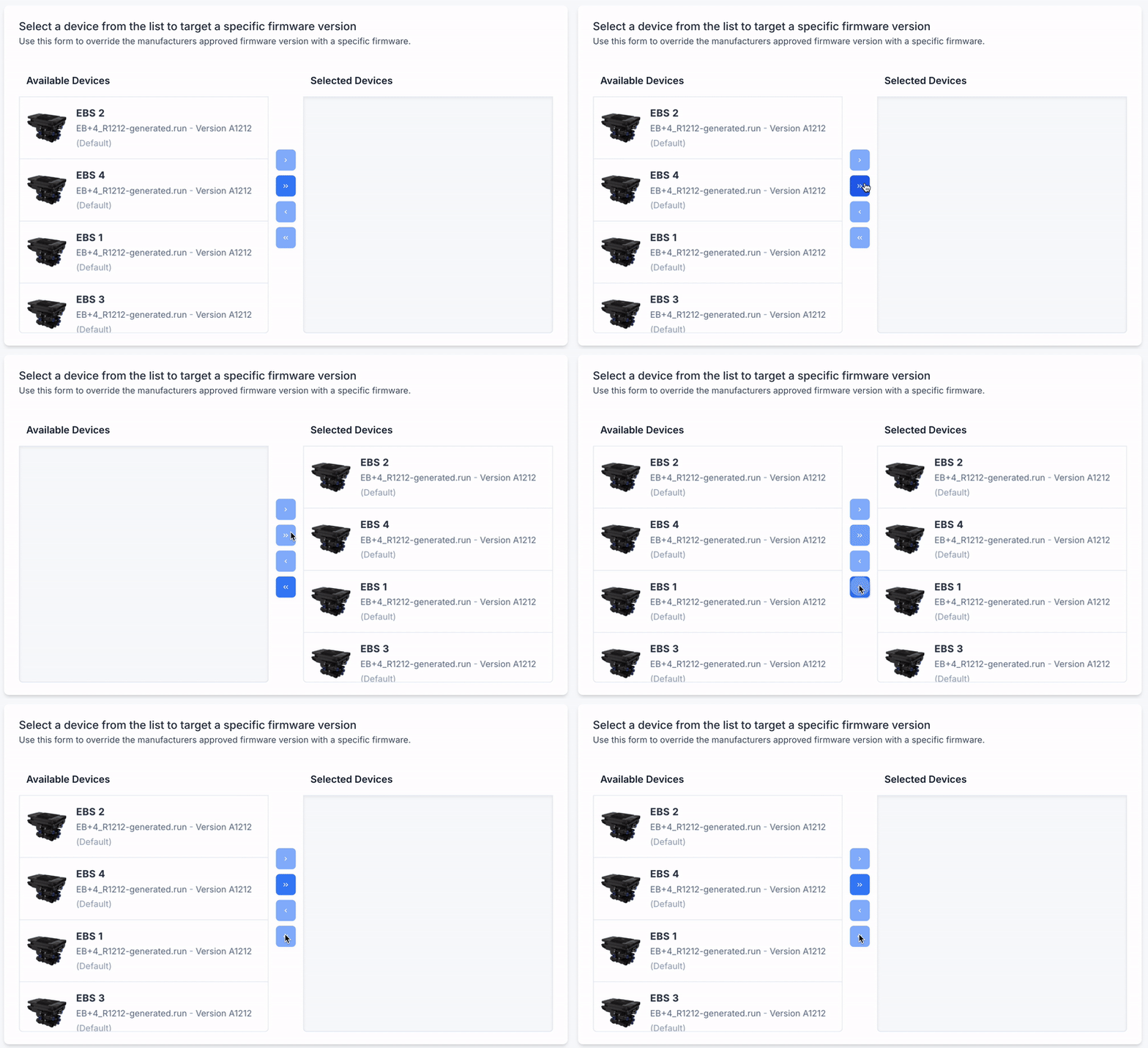
Select Devices
Find at least 1 device from the Available Devices list
You can use the sub-filters to speed up this process.
Click on the devices to select them
Click the single chevron button (
 ) to move the device(s) to the Selected List
.gif?inst-v=9e673f5d-f9a0-4055-a7ea-2a28bde4b92f)
Click on the devices to select them
Click the single chevron button (<) to move the device(s) back to the Available List
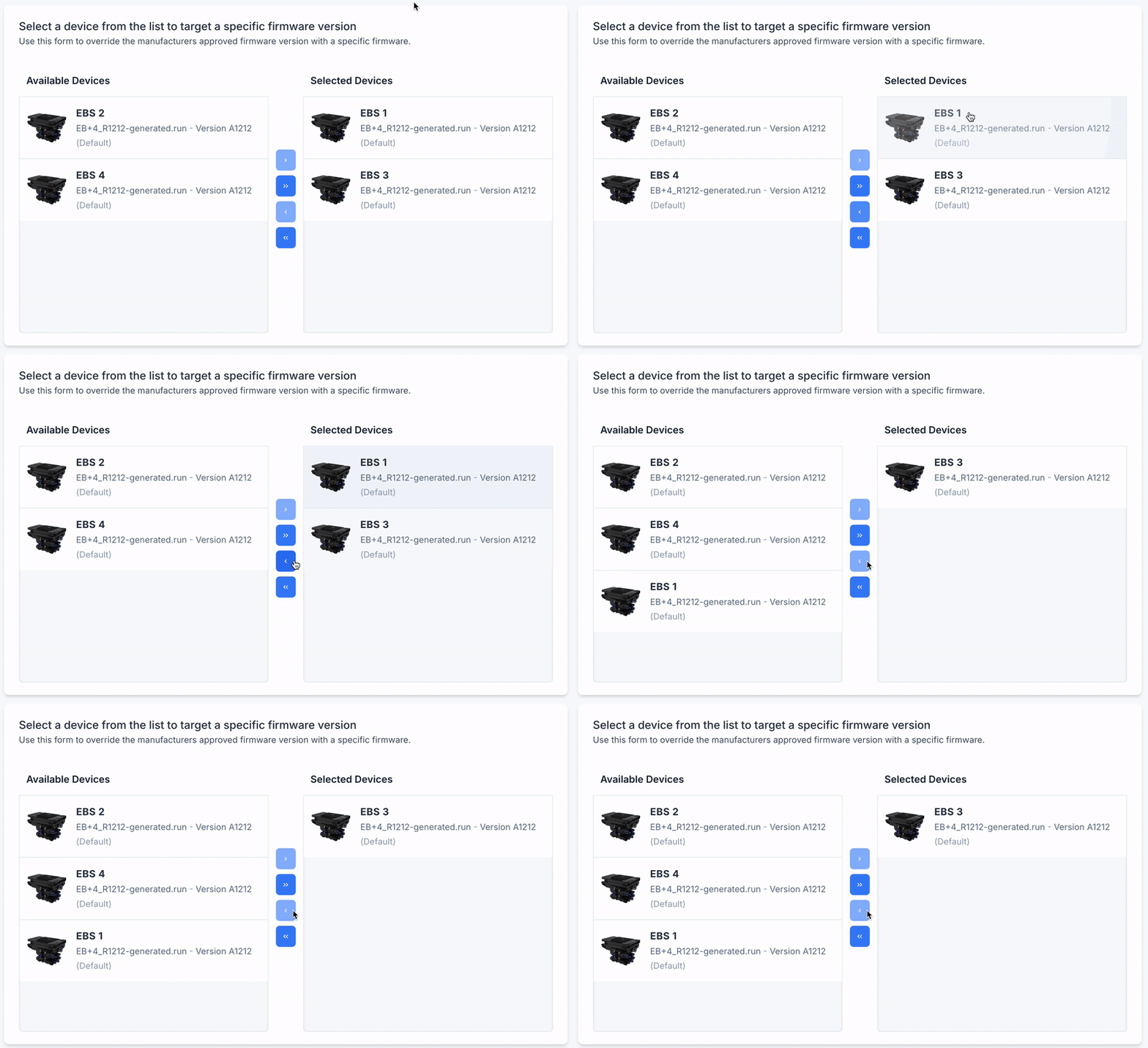
To move all devices to the right, click the double right chevron button (>>)
To move all devices to the left, click the double left chevron button (<<)
Choose an Action
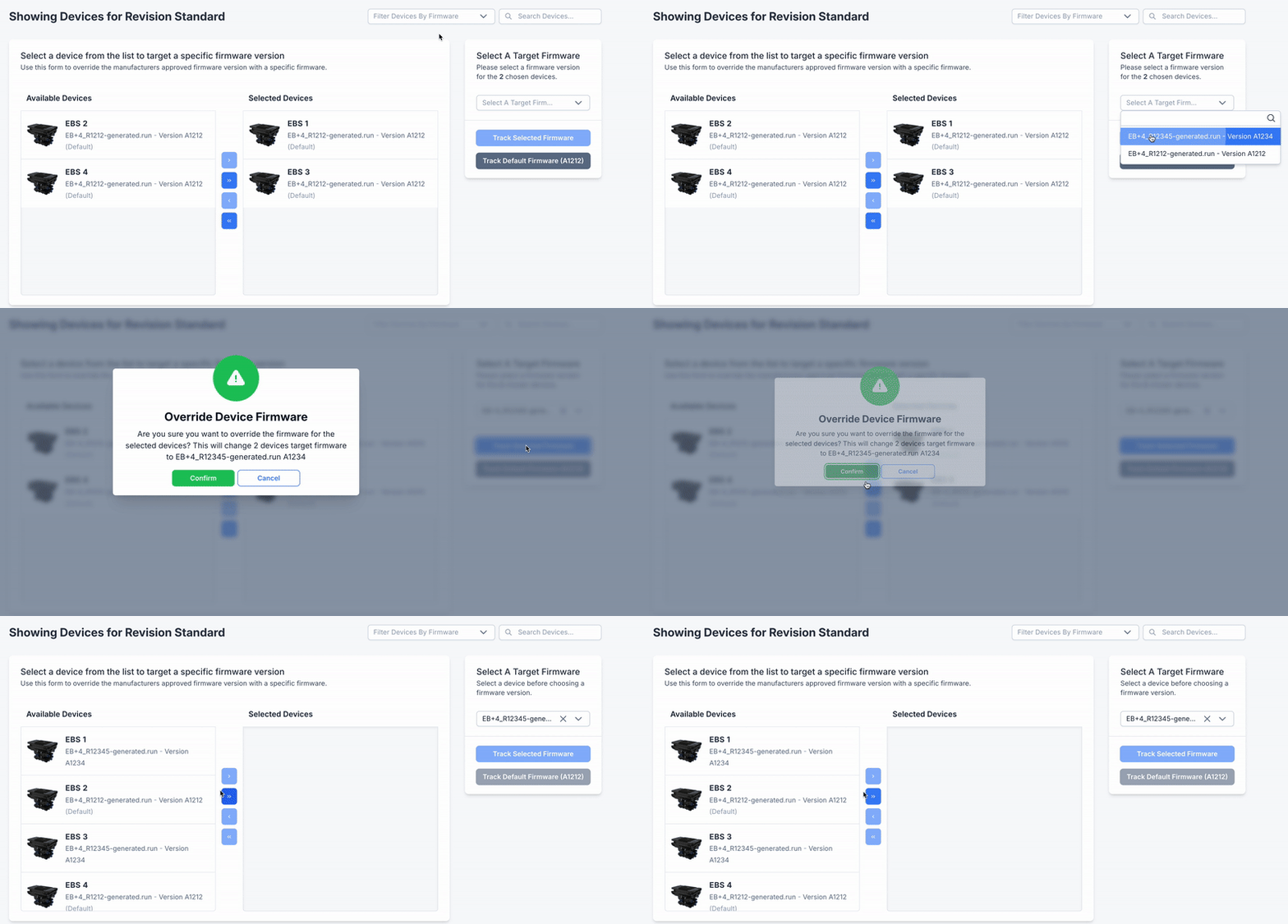
All of the devices in the Selected Devices list will be affected by the action you choose.
Choose what firmware you want to track the selected devices by.
To track using a particular firmware:
Use the dropdown menu to select the firmware you require.3
Click Track Selected Firmware
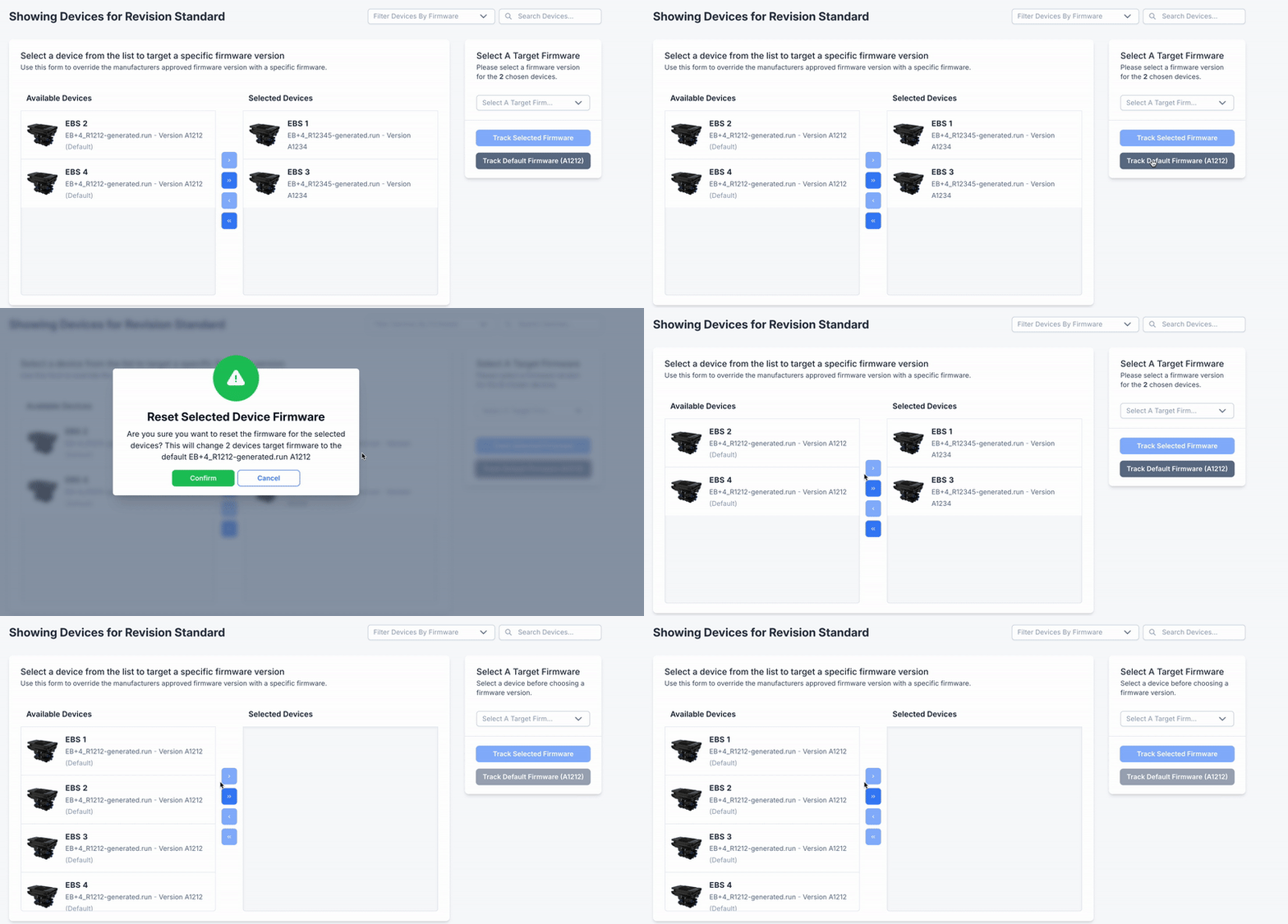
A popup will appear to confirm the action
Click Confirm
To track by the Target/Approved firmware:
Click Track Default Firmware.
A popup will appear to confirm the action
Click Confirm