Vehicle Manufacturers Dashboard

The Manufacturers Dashboard is only accessible to Vehicle Manufacturers.
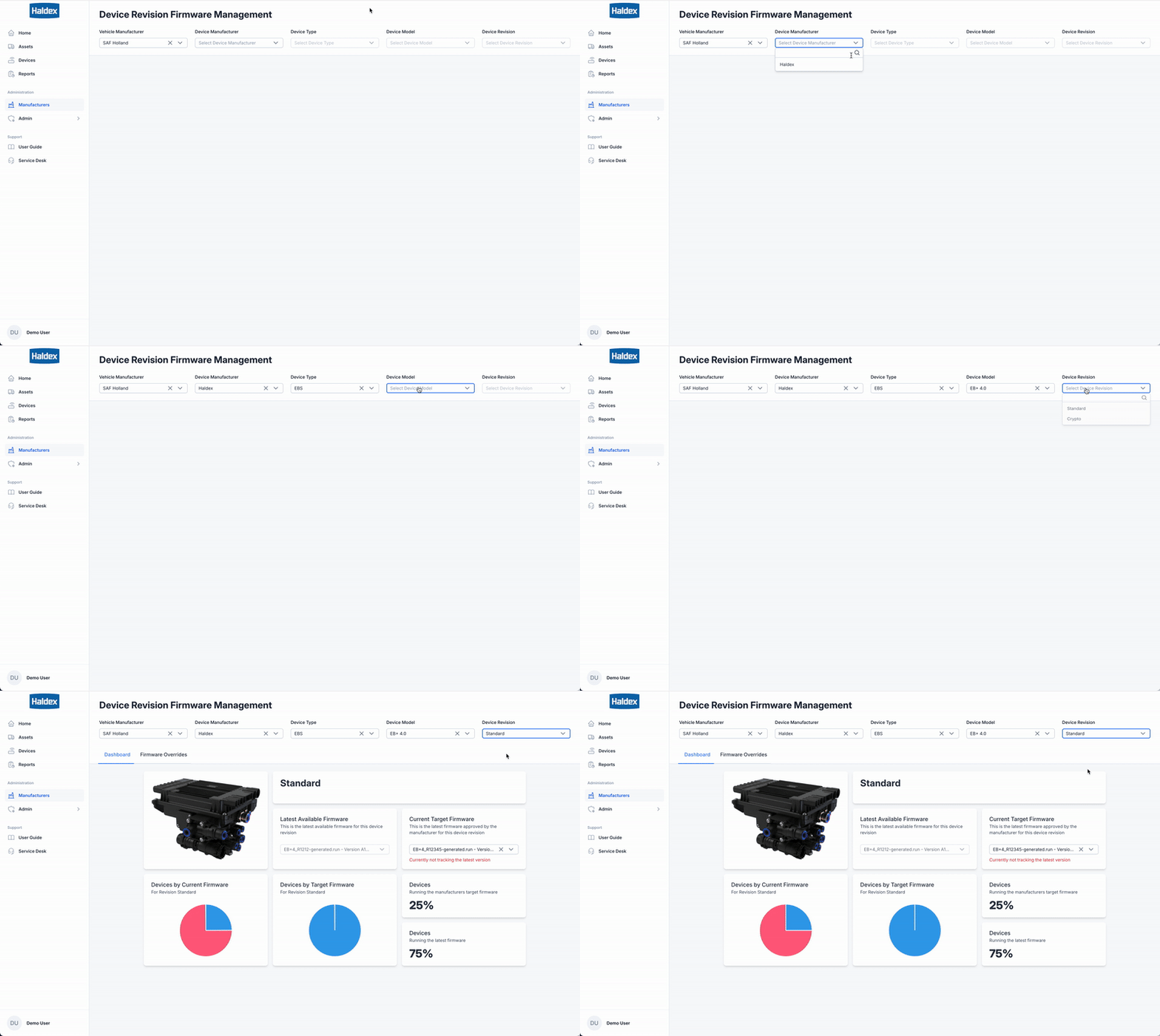
You can check and manage Target Firmware via the Manufacturers Dashboard page.
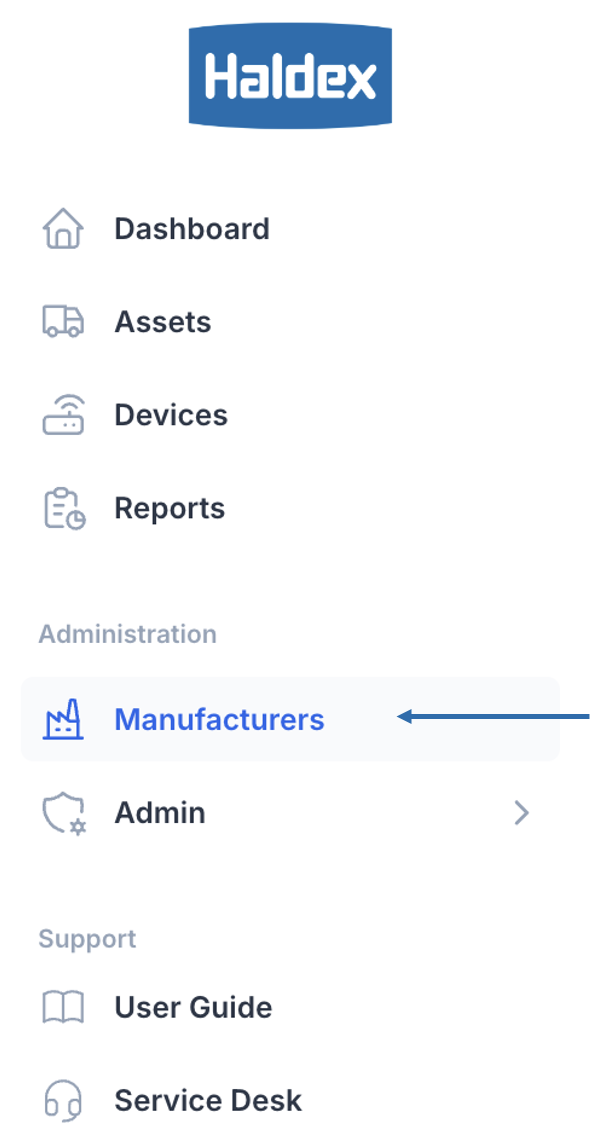
Getting to the Manufacturers Dashboard
Inside the Administration Menu Click Manufacturers.
Using the Filters
You should follow the wizard at the top of the page.

If only one option is available from the dropdown, this will be auto-selected.
Use the Wizard to populate the dashboard section:
Choose a Vehicle Manufacturer
Choose a Device Manufacturer
Choose a Device Type
Choose a Device Model
Choose a Device Revision
The Dashboard section will populate with your choices.